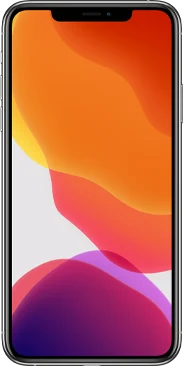
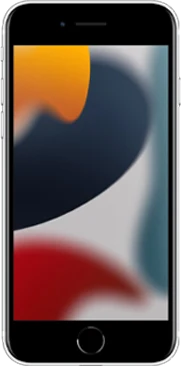
iOS 27 Developer Beta 1 is out now — Apple released it on June 8, 2026, right after the WWDC 26 keynote, with the public beta following in July. Find out if your iPhone supports iOS 27 (iPhone 11 and later — no models dropped this year), explore everything announced at WWDC 26, check the full release timeline, and read our complete iOS 27 Beta FAQ.
Pick your device and get its firmware — beta and RC builds for every supported iPhone, iPad, Mac, and Apple TV, straight from Apple's CDN.
Apple released the first developer betas of iOS 27, iPadOS 27, macOS 27 Golden Gate, watchOS 27, tvOS 27, and visionOS 27 on June 8, 2026 — all of them are available to install today.
Experience the rebuilt conversational Siri AI and the fastest iOS in years on your iPhone.
Transform your iPad with powerful multitasking and seamless Apple Intelligence integration.
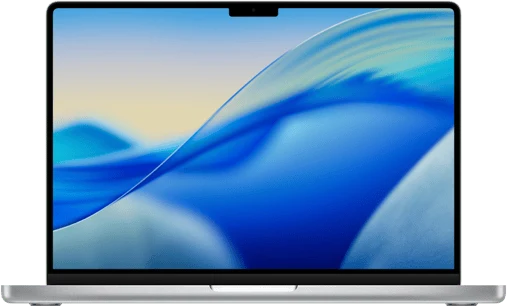
The first Apple Silicon-only macOS — faster, cleaner, and deeply integrated across devices.
New health features, advanced fitness tracking, and intelligent insights on Apple Watch.
Immersive entertainment, enhanced gaming, and smarter content discovery on Apple TV.
Enhanced spatial computing and revolutionary AR experiences on Apple Vision Pro.
The same iOS 27 features with more stability — ideal for everyday iPhones.
Stable public preview of iPadOS 27 with enhanced productivity tools for creators.
Test the next macOS with public-beta stability on your Apple Silicon Mac.
Preview new watch faces and health features safely on Apple Watch.
Try new entertainment features with public-beta stability on Apple TV.
Spatial computing with public-beta reliability on Apple Vision Pro.
Revisit the first AI-integrated iOS. The features that laid the foundation for Apple Intelligence.
StandBy mode, interactive widgets, and the major communication updates of 2023.
The dawn of Lock Screen customization that changed how we personalize iPhones.
Focus modes and SharePlay — the features that kept us connected and productive.
iOS 27.0 Beta 1 out now · Updated June 9, 2026
Announced at the WWDC 26 keynote on June 8 and in developer hands the same afternoon, iOS 27 pairs a fully rebuilt, conversational Siri AI with the fastest iOS in years — without dropping a single iPhone. Install the beta or check your device.
Truly conversational at last. Siri remembers earlier questions, understands what's on your screen, and draws personal context from Messages, Mail, Photos and Notes to act inside your apps — with a standalone Siri AI app included. English arrives later in 2026, more languages to follow.
Spotlight, Photos, Mail and Messages run on a new foundation that indexes fresh content almost instantly.
A system-wide slider dials transparency up or down, and icons gain a layered, near-3D depth.
Type the automation you want in everyday language — no more assembling action blocks.
Cycle Tracking adds dedicated perimenopause and menopause tracking with personalized insights.
Parents decide exactly who a child can reach in Phone, FaceTime and Messages — and which apps and sites open.
iCloud Shared Albums go full-resolution (Android and Windows included), AirPods gain custom EQ presets, and Passwords quietly updates credentials for supported sites on its own.
Release timeline
Every iPhone on iOS 26 — iPhone 11 and later, including iPhone SE (2nd & 3rd gen). iPhone X, XS and XR remain unsupported.
Siri AI and the full Apple Intelligence suite need an iPhone 15 Pro or newer — the A17 Pro chip and 8 GB of RAM. Older supported iPhones still run iOS 27, just without the AI assistant.
Fresh from the blog
Hands-on guides, beta coverage and everything new in the iOS 27 cycle — updated as Apple ships.
No beta profiles · No paid account · Updated June 9, 2026
Since 2023, Apple betas install straight from Settings with a free Apple ID — configuration profiles are gone. Pick your device below for the exact, current steps.
iOS 27 runs on every iPhone that supports iOS 26 — Apple dropped no models this year. Siri AI and Apple Intelligence are the exception: they need an iPhone 15 Pro or newer.
This is your only road back: a beta backup can't be restored onto stable iOS, so back up before you update.
Settings → your name → iCloud → iCloud Backup → Back Up NowNo $99 membership and no profile files. One of two free routes:
Settings → General → Software Update → Beta UpdatesDeveloper Beta 1 is the roughest build of the whole cycle — app crashes, battery drain and camera quirks are normal. If this is your main phone, the public beta in July is the safer entry point.
Downgrading means a recovery-mode restore from a computer, which erases the iPhone — you then restore the archived backup from step 2. There's no over-the-air way back.
Common iOS beta issues
Make sure the Apple ID on the phone matches the one you enrolled, and that you signed in to the Apple Developer app (or beta.apple.com) at least once. Restart the iPhone, wait a few minutes and check again — Apple's servers are slammed in the first days after WWDC. The Beta Updates menu only appears on supported models running iOS 16.4 or later.
Free up storage (the beta wants roughly 10 GB of headroom), delete the partially downloaded update under Settings → General → iPhone Storage, restart, and try again on a different Wi-Fi network if possible. Launch-day congestion fixes itself within 24–48 hours.
Normal for Beta 1. Update the app from the App Store, force-quit and relaunch, or offload and reinstall it. Banking and DRM-heavy apps are the usual suspects — report them via the Feedback app and they typically get fixed by Beta 2 or 3.
Expected for the first few days: the system re-indexes everything for the rebuilt search, and beta builds carry extra logging. Give it 48 hours, check Settings → Battery for outliers, and limit Background App Refresh for the worst offenders. Battery life improves noticeably across later betas.
iPadOS 27 trims a few older models this year. Here's the confirmed list:
Settings → your name → iCloud → iCloud Backup → Back Up NowSettings → General → Software Update → Beta Updates → choose iPadOS 27 Developer BetaiPadOS 27 picks up the same pillars as iOS 27 — Siri AI (on M-series and A17 Pro iPads), the rebuilt system search, the Liquid Glass transparency slider and the performance work — plus desktop-class refinements for windowing and external displays.
Common iPadOS beta issues
Toggle the multitasking mode off and on under Settings → Multitasking & Gestures, restart, and keep plenty of free storage. Third-party apps need updates to behave in the new windowing — report repeat offenders through Feedback.
Unpair and re-pair the Pencil in Settings, make sure it's charged, and restart the iPad. Pressure-curve and latency hiccups in drawing apps are typical Beta 1 behavior and usually clear up with app updates.
macOS 27 Golden Gate is the first release to drop Intel entirely. It's also confirmed as the last version with the full Rosetta translation layer for Intel apps.
System Settings → General → Time MachineSystem Settings → General → Software Update → click the ⓘ next to Beta Updates → choose macOS 27 Developer BetaPro audio/video tools, plug-ins and drivers routinely break on the first macOS beta. Use a spare machine or a separate volume — a kernel panic mid-project isn't worth the preview.
Common macOS beta issues
Check the vendor's site for a beta-compatible build, and keep the previous app version installed as a fallback. Audio units and kernel/system extensions are the most fragile — many vendors publish Golden Gate support within the first beta cycle.
Reconnect after a restart, check System Settings → Privacy & Security for a blocked extension prompt, and look for updated drivers from the manufacturer. Some peripherals need beta-specific drivers that arrive a few weeks in.
watchOS 27 has the strictest list of any 27-series update: only six models made it, and your paired iPhone must be running iOS 27.
Watch app → General → Software Update → Beta Updates → watchOS 27 Developer BetaSettings → General → Software UpdateApple Watch is the one device you cannot downgrade yourself — leaving the beta requires mailing the watch to Apple or a Genius Bar restore. Treat this install as one-way until watchOS 27 ships in September.
Common watchOS beta issues
Confirm the paired iPhone is on iOS 27 beta with the same enrolled Apple ID, restart both devices, and keep the watch on its charger next to the phone. Unsupported models (Series 8 and earlier, SE 2, Ultra 1) will never see the update.
Beta sensor calibration can drift. Restart the watch, check Health app permissions, and recalibrate by carrying the iPhone on a few outdoor walks. Log anything persistent in the Feedback app — health data accuracy reports get priority.
tvOS 27 runs on all recent Apple TV 4K models and the Apple TV HD.
Settings → System → Software Updates → turn on Get Beta UpdatesAn Apple TV holds no personal data you can lose, so it's the safest place to try the 27 betas — though streaming apps can misbehave until they're updated.
Common tvOS beta issues
Force-quit it (double-press TV button, swipe up), check the App Store for an update, and restart the Apple TV. DRM-protected services are usually the last to certify against a new beta.
Restart the Apple TV and your router, keep every device on the same network, and re-add stubborn HomeKit accessories. Mixed beta/stable households see the most hiccups until other devices catch up.
visionOS 27 supports Apple Vision Pro — both the original and the M5 model.
Settings → your name → iCloud → iCloud BackupSettings → General → Software Update → Beta Updates → visionOS 27 Developer BetaCommon visionOS beta issues
Rerun setup under Settings → Eyes & Hands, clean the sensor covers, and improve room lighting. Beta tracking models settle down after the first couple of releases.
Free up storage, restart the headset, and re-download the environment from Settings. Persisted room maps occasionally need a reset after a major version jump.
14 answers · Verified after WWDC 26 · Updated June 9, 2026
Everything people are asking since the June 8 keynote — eligibility, the new profile-free install, what breaks, and how to go back.
iOS 27 is the major iPhone update Apple announced at WWDC 26 on June 8, 2026, shipping to everyone in September. The beta lets you run it months early. The headline addition is Siri AI — a genuinely conversational assistant with on-screen awareness and personal context — alongside a speed-focused core: Apple cites up to 30% faster app launches and up to 70% quicker photo loading, plus a Liquid Glass transparency slider, rebuilt system search, plain-English Shortcuts, new Health tracking and stronger parental controls.
Install it if you have a spare device, you're comfortable with bugs, and you want to test or give Apple feedback. Skip it for now if this iPhone is essential for work, banking or travel — Developer Beta 1 is the roughest build of the year.
Every iPhone that runs iOS 26 also gets iOS 27 — Apple dropped no models this year:
iPhone X, XS and XR remain unsupported. One distinction matters: the new Siri AI and Apple Intelligence features require an iPhone 15 Pro or newer (A17 Pro chip, 8 GB RAM). An iPhone 11 still gets iOS 27 — and benefits most from the speed work — just without the AI assistant.
Both betas are free. Since 2023, Apple has made developer betas available to anyone with a free Apple ID — sign in once in the Apple Developer app (or at developer.apple.com), and the option appears under Settings → General → Software Update → Beta Updates. The $99/year Apple Developer Program is only for publishing apps to the App Store; it is not required to run betas.
The free Public Beta, arriving in July 2026 via beta.apple.com, is the same software a step behind in builds and noticeably more stable.
Both are free and install the same way. If you're unsure, that uncertainty is itself the answer: wait for the public beta.
The confirmed highlights from the June 8 keynote:
Forget the old Safari-profile dance — Apple removed configuration profiles in 2023. The current flow takes five steps, all on the iPhone:
Settings → General → Software Update → Beta UpdatesThe backup is your only road back to iOS 26, because a backup made on the beta cannot be restored onto stable iOS. Two options, ideally both:
Settings → your name → iCloud → iCloud Backup → Back Up Now — quick, but iCloud keeps only the latest backup, which the beta will soon overwrite.No computer needed — everything happens over the air from Settings. Budget about an hour end to end:
Keep at least ~10 GB free, stay on Wi-Fi and a charger, and don't interrupt the restarts — a progress bar that looks frozen for 15 minutes usually isn't.
First: patience. Beta installs pause on the Apple logo far longer than normal updates — a bar that hasn't moved for 20–30 minutes is usually still working. Act only after roughly two hours with zero progress:
Expected on Beta 1 — developers haven't certified against iOS 27 yet. Banking apps, DRM-heavy streaming apps and anything using low-level camera access are the usual casualties. In order of effort:
Settings → General → iPhone Storage)Two causes stack up in the first days: the system re-indexes your entire library for iOS 27's rebuilt search, and beta builds carry extra diagnostic logging that final releases don't. Practical steps:
Settings → Battery for outlier apps and limit their Background App RefreshBattery life improves measurably with each beta as Apple strips debug overhead — by the public beta it's close to normal.
Possible, but it's a full restore — there is no over-the-air way back:
No pre-beta backup? You'll set up fresh — iCloud-synced photos, contacts and messages return, but app data and settings start over.
An honest calendar, based on how every recent cycle has gone:
The honest test: phone calls, messages, Safari and camera stay reliable through almost any beta — it's banking apps, car connectivity and work tools that break. If you depend on those, wait for July.
Try different words or browse another category.