
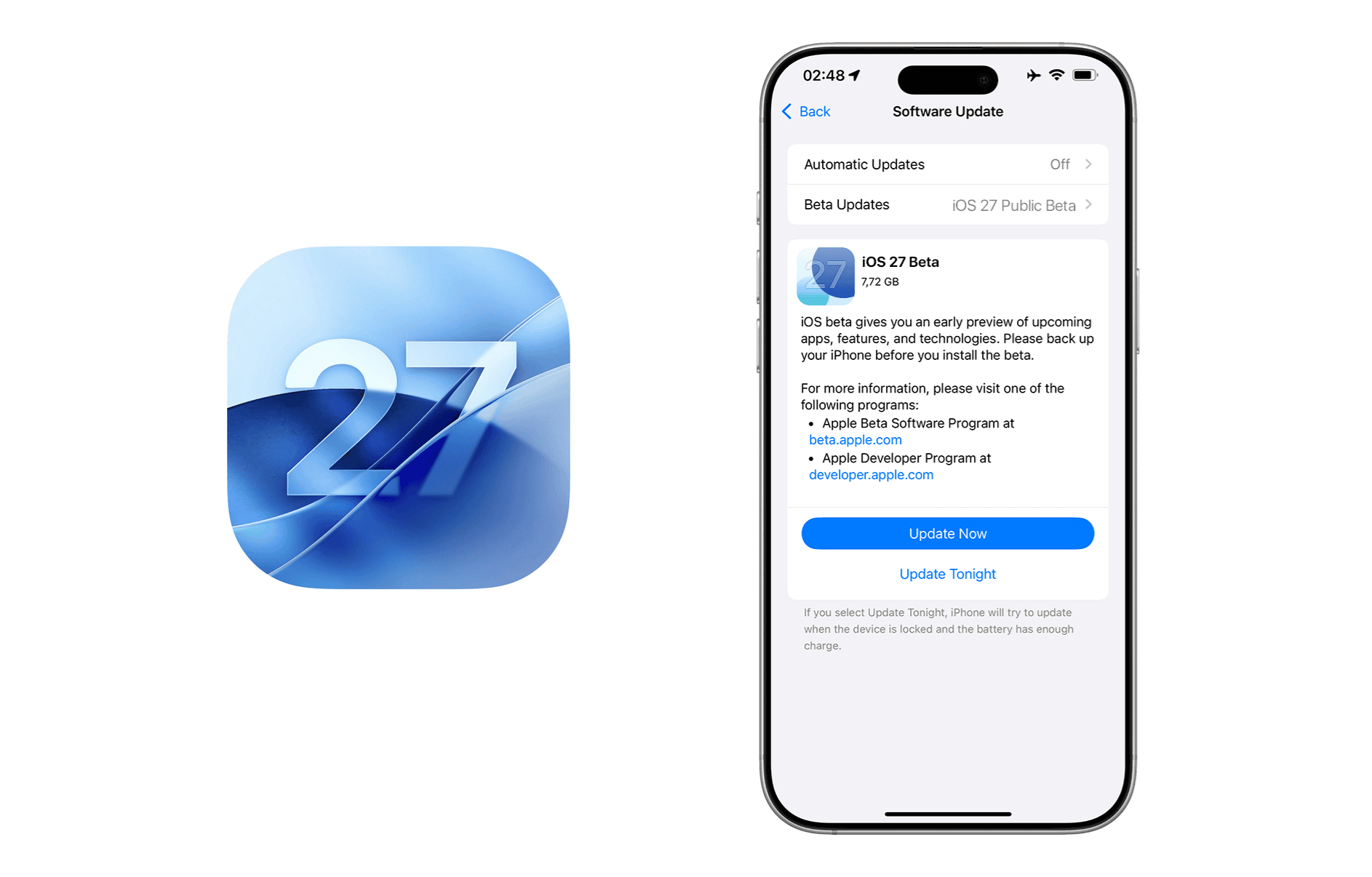
Getting your hands on iOS 27 Beta is easier than you might think — and completely free. Apple confirmed at WWDC 2026 (June 8–12) that both Developer and Public Betas are available to anyone with an Apple ID. Whether you're a developer testing app compatibility, an enthusiast eager to try new features, or someone who simply wants to be first in line — this guide walks you through every step.
Apple offers three pathways to install iOS 27 Beta, and the right choice depends on your situation. The Public Beta costs nothing and provides stable builds suitable for daily use. The Developer Beta gives earliest access on day one (also free since 2024). And IPSW installation lets you perform clean installs and troubleshoot issues that over-the-air updates can't fix.
Backup Required Before Installation
Beta software can cause data loss, app crashes, and unexpected behavior. Before proceeding, create a complete backup of your iPhone using iCloud or a computer. This step is absolutely non-negotiable—skipping it could mean losing years of photos, messages, and irreplaceable data.
Choose Your Installation Method
Before diving into the installation steps, take a moment to understand which method makes the most sense for your needs. Each approach has distinct advantages and trade-offs that matter more than you might initially think.
Public Beta
Free for everyone. More stable builds, perfect for daily drivers. Releases 2-4 weeks after Developer Beta.
View GuideDeveloper Beta
Earliest access on day one. Free since 2024 with any Apple ID. Best for enthusiasts and developers.
View GuideIPSW Installation
Manual firmware installation. Requires a computer. Ideal for clean installs and recovery situations.
View GuideQuick Comparison: Public vs Developer Beta
How to Download iOS 27 Public Beta
The Public Beta Program is Apple's gift to enthusiasts who want early access without the financial commitment of a developer account. It's free, relatively straightforward to set up, and provides builds that have already been through initial developer testing—meaning fewer bugs and a smoother experience overall.
Create a Complete Backup
Before touching anything beta-related, secure your data. This isn't optional paranoia—it's essential protection against the very real possibility that something goes wrong during installation.
iCloud Backup: Go to Settings → [Your Name] → iCloud → iCloud Backup → Back Up Now. Make sure you're on Wi-Fi and have enough iCloud storage.
Computer Backup: Connect your iPhone to your Mac (Finder) or PC (iTunes). Select your device and click "Back Up Now." For the most complete backup, enable "Encrypt local backup" to include passwords and health data.
Verify your backup completed successfully by checking the timestamp. If it shows an old date or failed, do not proceed until you have a verified recent backup.
Enroll in the Apple Beta Software Program
Apple's Beta Software Program is free and permanently linked to your Apple ID once you join.
- Open Safari on your iPhone and navigate to beta.apple.com
- Tap "Sign In" and enter your Apple ID credentials
- Complete two-factor authentication if prompted
- Tap "Enroll Your Devices" and select iOS
- Read and accept the terms and conditions
Once enrolled, your Apple ID is registered for all future betas. You won't need to repeat this step for iOS 28, iOS 29, or any subsequent releases.
Enable Beta Updates on Your iPhone
With enrollment complete, you need to tell your iPhone where to look for beta updates:
- Open Settings on your iPhone
- Navigate to General → Software Update
- Tap Beta Updates
- Select iOS 27 Public Beta
- Return to Software Update—iOS 27 Beta should now appear
If you don't see the Beta Updates option, ensure you're running iOS 16.4 or later and that you've completed the enrollment process on beta.apple.com.
Download and Install iOS 27 Beta
The final step is straightforward but requires patience:
- Tap Download and Install when iOS 27 Beta appears
- Enter your passcode when prompted
- Agree to the terms and conditions
- Wait for the download to complete (this can take 15-45 minutes depending on your connection)
- Your iPhone will restart and begin installation
- The entire process typically takes 20-40 minutes
Keep your iPhone connected to power throughout the installation. Interrupting the process can cause serious issues that require recovery mode to fix.
Congratulations!
Once your iPhone restarts and you see the iOS 27 setup screen, you've successfully installed the beta. Take some time to explore the new features, and remember to report any bugs through the Feedback app to help Apple improve the final release.
How to Download iOS 27 Developer Beta
The Developer Beta is designed for app creators who need to test their software against upcoming iOS versions before they reach the public. It offers the earliest possible access—typically available within hours of the WWDC keynote—but comes with a price tag and reduced stability compared to the Public Beta.
Developer Program Requirements
To access iOS 27 Developer Beta, you need an active Apple Developer Program membership ($99/year). This investment makes sense if you're a professional developer, but most enthusiasts should stick with the free Public Beta instead.
- Apple Developer Program membership: $99 USD per year
- Valid Apple ID linked to your membership
- Compatible iPhone (iPhone 12 or newer expected)
Join the Apple Developer Program
If you're not already a member, you'll need to enroll first:
- Visit developer.apple.com/programs
- Click "Enroll" and sign in with your Apple ID
- Complete the enrollment form with your personal or business information
- Pay the $99 annual membership fee
- Wait for Apple to process your enrollment (usually within 48 hours)
Once approved, you'll have access to developer betas for iOS, iPadOS, macOS, watchOS, tvOS, and visionOS, plus Xcode betas and other developer resources.
Enable Developer Beta Updates
With an active developer membership, configuring your iPhone for developer betas is similar to the public beta process:
- Ensure your Apple ID on your iPhone matches your Developer Program account
- Open Settings → General → Software Update
- Tap Beta Updates
- Select iOS 27 Developer Beta
- Return to Software Update to see available developer builds
Install the Developer Beta
The installation process mirrors the public beta:
- Tap Download and Install
- Enter your passcode and accept the terms
- Wait for download and installation to complete
- Your iPhone will restart multiple times during installation
Developer betas often contain more bugs than public releases. Consider using a secondary device for testing rather than your primary iPhone.
Which iPhones Support iOS 27 Beta?
Apple hasn't officially confirmed the iOS 27 compatibility list yet, but based on historical patterns and device capabilities, we expect support for the following models:
Expected Compatible Devices
- iPhone 17 Series – iPhone 17, iPhone Air, iPhone 17 Pro, iPhone 17 Pro Max
- iPhone 16 Series – iPhone 16, iPhone 16 Plus, iPhone 16 Pro, iPhone 16 Pro Max
- iPhone 15 Series – iPhone 15, iPhone 15 Plus, iPhone 15 Pro, iPhone 15 Pro Max
- iPhone 14 Series – iPhone 14, iPhone 14 Plus, iPhone 14 Pro, iPhone 14 Pro Max
- iPhone 13 Series – iPhone 13, iPhone 13 mini, iPhone 13 Pro, iPhone 13 Pro Max
- iPhone 12 Series – iPhone 12, iPhone 12 mini, iPhone 12 Pro, iPhone 12 Pro Max
- iPhone SE – iPhone SE (3rd generation)
For the complete list and Apple Intelligence compatibility, visit our iOS 27 Supported Devices page.
Troubleshooting Common Installation Issues
Even with careful preparation, beta installations can hit snags. Here's how to handle the most common problems:
Beta Update Not Appearing
If iOS 27 Beta doesn't show up in Software Update after enabling beta updates:
- Verify you've completed enrollment at beta.apple.com
- Ensure you're signed in with the correct Apple ID
- Try toggling Beta Updates off and on again
- Restart your iPhone and check again
- Wait a few hours—Apple's servers can be slow during high-traffic periods
Download Stuck or Failed
When the download won't progress or fails repeatedly:
- Check your Wi-Fi connection stability
- Free up storage space—iOS 27 Beta requires at least 5-8GB
- Delete the failed download: Settings → General → iPhone Storage → iOS 27 Beta → Delete Update
- Try downloading during off-peak hours (late night/early morning)
- Reset network settings as a last resort: Settings → General → Transfer or Reset → Reset Network Settings
Installation Frozen on Apple Logo
If your iPhone appears stuck during installation:
- Wait at least 30 minutes—installation can appear frozen while still progressing
- If stuck after an hour, force restart: Press Volume Up, press Volume Down, then hold Side button until Apple logo appears
- If force restart doesn't help, you may need to use IPSW recovery via computer
- Check our detailed installation error troubleshooting guide for more solutions
After Installing iOS 27 Beta
Congratulations on joining the beta program! Here's what to do next to get the most out of your early access: