Ask Apple Intelligence...
Apple Intelligence
Apple Intelligence: Complete Guide to AI Features on iPhone, iPad & Mac [2026]
Personal Intelligence System

Apple Intelligence.
Built for you.

A powerful AI system that understands you, protects your privacy, and helps you write, create, and get things done—all on-device.

Explore Features

Intelligence at Your Fingertips

From writing assistance to creative image generation, Apple Intelligence transforms how you interact with your devices.
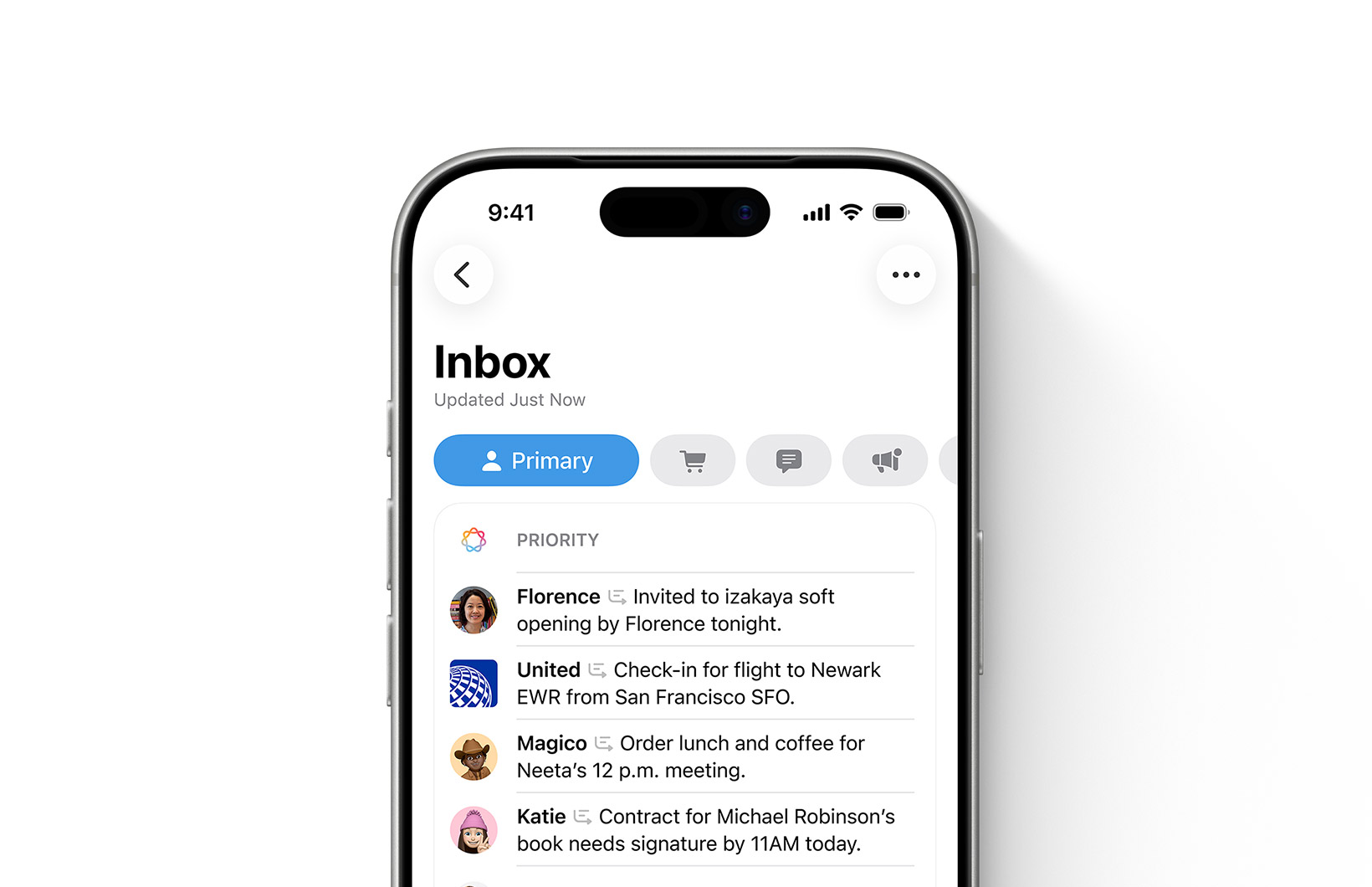
Writing Tools

Writing Tools

Rewrite, proofread, and summarize text anywhere on your device. Transform casual notes into professional emails, or condense long documents into key points.
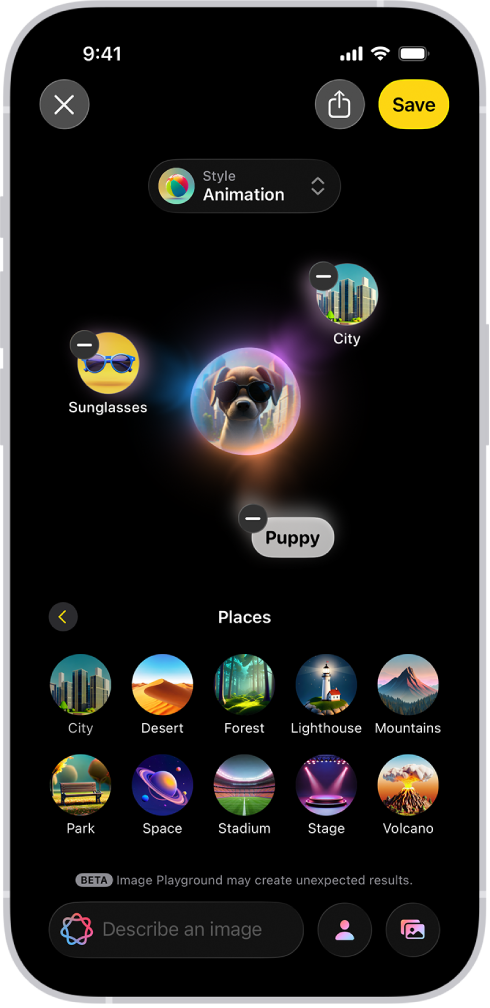
Genmoji

Genmoji

Create custom emoji that perfectly express any moment. Just describe what you want.

Siri Reborn

Siri Reborn

A glowing new design with deeper understanding and screen awareness.
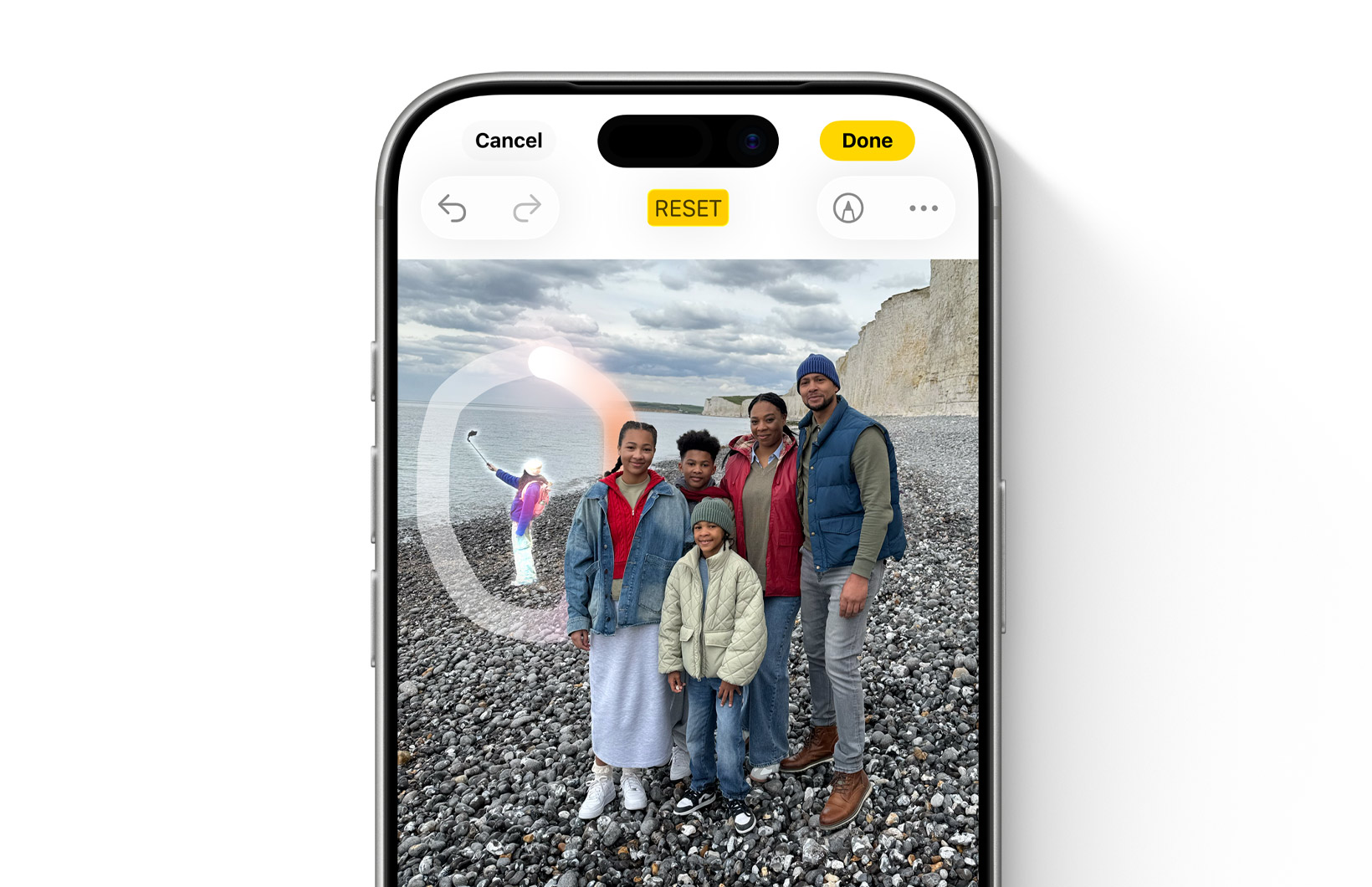
Clean Up Tool

Clean Up

Remove distracting objects from your photos with a single tap. AI identifies and removes unwanted elements while preserving the original image quality.

Image Playground

Image Playground

Generate custom images in animation, illustration, or sketch styles.

Smart Replies

Smart Reply

Get intelligent reply suggestions in Mail and Messages based on conversation context.

Notification Summary

Notification Summary

AI-powered summaries of your notifications, prioritizing what matters most.

Writing Tools in Action

Writing Tools

System-wide AI writing assistance that works in any app where you can type. Whether you're drafting an email, writing notes, or composing a message, Writing Tools helps you communicate more effectively.

  • Rewrite: Transform your text with different tones—professional, friendly, or concise
  • Proofread: Grammar, spelling, and style suggestions with explanations
  • Summarize: Condense long content into key points, paragraphs, or lists
  • Compose with ChatGPT: Generate content from scratch when you need inspiration
New Siri Experience

The New Siri

Siri gets a complete overhaul with Apple Intelligence. A beautiful new glowing design wraps around your screen, and underneath lies a more capable assistant that truly understands context.

  • Screen Awareness: Siri sees what's on your screen and can act on it
  • Personal Context: Draws from your messages, emails, and notes to answer questions
  • Type to Siri: Switch seamlessly between voice and text input
  • Natural Conversations: Maintains context across follow-up questions
  • ChatGPT Integration: Complex questions can be routed to ChatGPT with your permission
Image Generation Features

Creative Image Tools

Express yourself visually with AI-powered image generation. Create custom emoji, generate illustrations, and bring your ideas to life—all processed privately on your device.

  • Genmoji: Type a description to create custom emoji for any occasion
  • Image Playground: Generate images in Animation, Illustration, or Sketch styles
  • Image Wand: Transform rough sketches into polished illustrations in Notes
  • Memory Movies: AI creates personalized videos from your photo library

What's New in iOS 27

iOS 27 brings major updates to Apple Intelligence, expanding AI capabilities across the system with new features focused on health, search, and a redesigned Siri experience.

Health+ AI Agent

AI-powered health assistant analyzing your data

World Knowledge Answers

Built-in AI search engine for instant answers

Redesigned Siri

New visual personality with lifelike interactions
Explore iOS 27 Features

How Apple Intelligence Works

Powerful AI that protects your privacy through innovative on-device processing and secure cloud architecture.

On-Device Processing

Most Apple Intelligence features run entirely on your device using the Neural Engine. Your data never leaves your iPhone, iPad, or Mac for basic tasks.

Private Cloud Compute

Complex queries use Apple's secure servers with custom silicon. Your data is never stored, never accessible to Apple, and cryptographically verified.

Your Data, Your Control

You choose when to use features that require cloud processing. Third-party integrations like ChatGPT always ask for explicit permission first.

Compatible Devices

Apple Intelligence requires devices with powerful Neural Engines capable of running advanced AI models on-device.

iPhone

iPhone 17 SeriesA19 / A19 Pro
iPhone 16eA18
iPhone 16 / 16 PlusA18
iPhone 16 Pro / Pro MaxA18 Pro
iPhone 15 Pro / Pro MaxA17 Pro

iPad

iPad ProM1 and later
iPad AirM1 and later
iPad miniA17 Pro

Mac

MacBook AirM1 and later
MacBook ProM1 and later
iMacM1 and later
Mac miniM1 and later
Mac StudioM1 Max and later
Mac ProM2 Ultra

Apple Intelligence Guides

Explore our detailed tutorials and guides to master every Apple Intelligence feature.

Frequently Asked Questions

Apple Intelligence is Apple's personal AI system integrated into iPhone, iPad, and Mac. It includes features like Writing Tools for text assistance, Genmoji for custom emoji creation, Image Playground for generating images, enhanced Siri capabilities, and photo editing tools like Clean Up—all designed with privacy as a core principle.
Yes, Apple Intelligence is completely free and included with compatible devices running iOS 18.1 or later. There's no subscription required for core features. ChatGPT integration is also free to use, though ChatGPT Plus subscribers can connect their accounts for access to premium capabilities.
Apple Intelligence requires significant on-device processing power that older devices can't provide. The Neural Engine in A17 Pro and M-series chips is specifically designed to run large language models locally. Devices with older chips would either be too slow or would need to send all data to the cloud, which would compromise the privacy-first approach Apple has chosen.
Yes. Most Apple Intelligence processing happens entirely on your device—your data never leaves. For complex tasks that require more power, Apple uses Private Cloud Compute with custom silicon that can't store your data or make it accessible to anyone, including Apple. When third-party services like ChatGPT are used, you're always asked for explicit permission first.
On a compatible device, go to Settings → Apple Intelligence & Siri → Apple Intelligence and turn it on. You may need to join a waitlist initially. Once enabled, features like Writing Tools appear automatically when you select text, and Siri's new capabilities are immediately available. Check our iOS 27 download guide for complete setup instructions.
Apple Intelligence launched in English (US) and has expanded to include English (UK, Australia, Canada, Ireland, New Zealand, South Africa), Chinese (Simplified & Traditional), French, German, Italian, Japanese, Korean, Portuguese (Brazil), Spanish, and Vietnamese. More languages continue to be added with software updates.

Experience Apple Intelligence

Download iOS 27 Beta and explore the future of personal AI on your iPhone.