
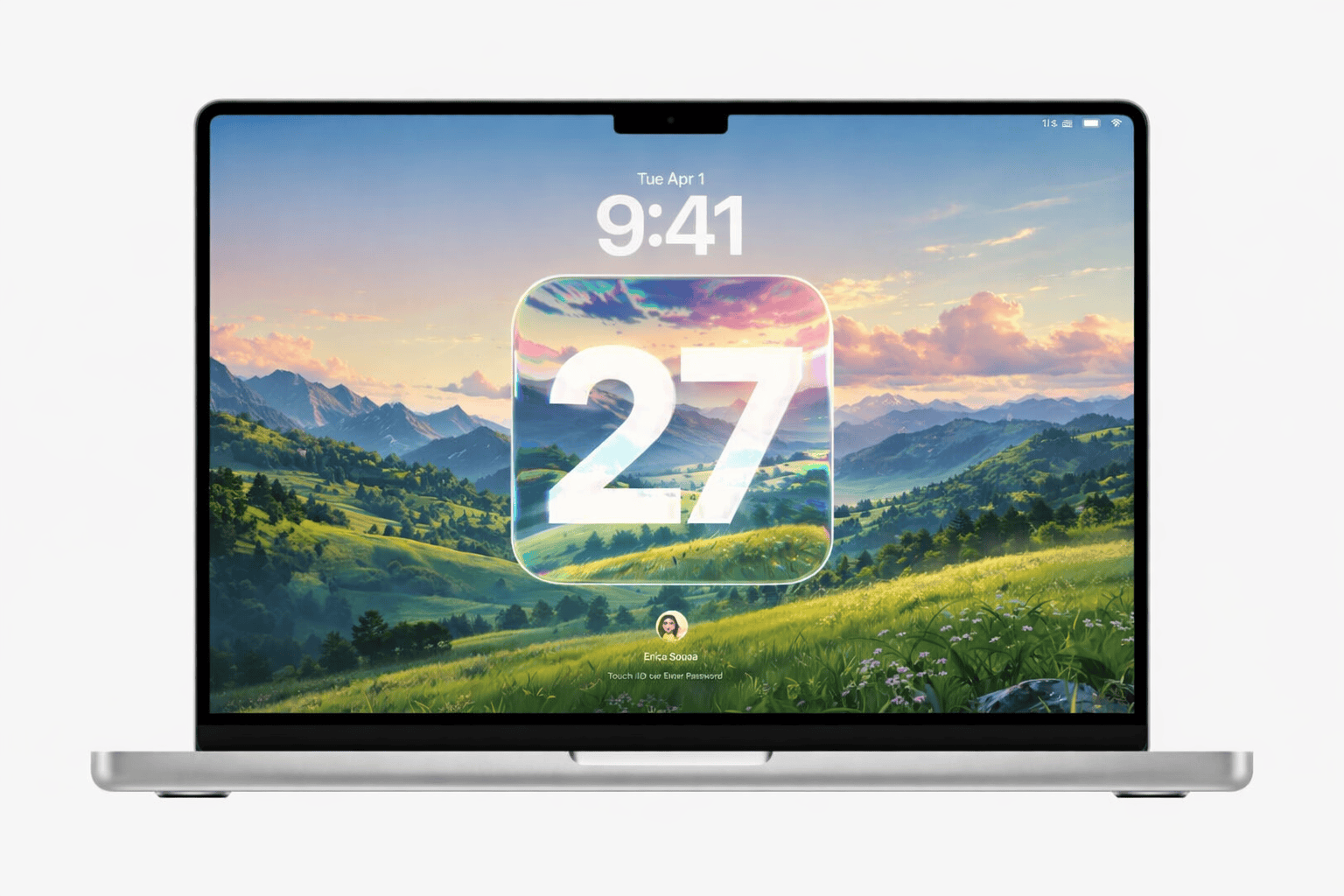
macOS 27 is shaping up to be one of Apple's most AI-focused Mac releases ever. After the Liquid Glass overhaul in macOS 26 Tahoe, reporting from Bloomberg's Mark Gurman, 9to5Mac, and MacRumors points to a release built around a reimagined Siri, a smarter and more "agentic" Apple Intelligence, and a quiet but important shift toward performance and stability — what many are calling a "Snow Leopard" year. It will also be a historic release: the first version of macOS that runs only on Apple Silicon.
Apple will unveil macOS 27 at the WWDC 2026 keynote on June 8, with a developer beta the same day and public release expected in September. Here's everything expected, organized by category — we'll keep this page updated as Apple confirms each feature.
The New Siri App Tentpole
The biggest change in macOS 27 is a brand-new, dedicated Siri app — reportedly the headline addition across iOS 27, iPadOS 27, and macOS 27. Instead of a quick overlay, Siri becomes a full app with a chatbot-style interface much like ChatGPT or Google Gemini.
According to reports, the new Siri app is expected to support:
- Persistent conversations — pick up where you left off, with full conversation history
- Text and voice modes — type or speak, whichever suits the moment
- File uploads — hand Siri a document and ask questions about it
- Cross-device sync — your Siri chats follow you across iPhone, iPad, and Mac
- An "Extensions" system — letting Siri tap into more capabilities and services
Chatbot Interface
A ChatGPT-style conversation view with history, replacing the old quick pop-up.
Agentic Actions
Siri can take multi-step actions across your apps based on what you ask and what's on screen.
Personalized Siri
The delayed 2024 feature: Siri uses info from Mail and Messages to answer about your life.
Cross-Device Sync
Conversations stay in sync across iPhone, iPad, and Mac.
Apple Intelligence & Third-Party AI
macOS 27's Siri is powered by a significantly overhauled Apple Intelligence. The most important shift is toward agentic capabilities — instead of just answering, Siri can act on your behalf, completing multi-step tasks across apps and responding to whatever you're seeing on screen. This finally delivers on the app-intent system Apple first teased at WWDC 2024 and later delayed.
Choice of AI models New
Until now, ChatGPT was the only third-party model integrated into Apple Intelligence. For macOS 27, Apple is reportedly opening up to multiple providers, with Google Gemini widely expected to join as an option for handling certain Siri and Apple Intelligence requests. You would be able to choose which assistant handles complex queries.
Refined Liquid Glass Design
macOS 26 Tahoe introduced the bold Liquid Glass look — translucent, layered surfaces with real depth. For macOS 27, Apple isn't abandoning it; reporting from Bloomberg's Mark Gurman describes a "slight redesign" aimed at improving readability. In other words, Apple is refining Liquid Glass rather than replacing it, tuning contrast and legibility where the first version went too far.
Expect subtle but meaningful polish across the system:
- Better readability — adjusted transparency and contrast so text stays crisp over busy backgrounds
- Refined materials — menu bar, Dock, Control Center, and sidebars tuned for clarity
- More consistency — a tighter match with iOS 27, iPadOS 27, and the rest of the lineup
Safari, Shortcuts & App Updates
Safari: Organize Tabs New
Safari is expected to gain an "Organize Tabs" feature that automatically sorts your open tabs into logical groups. According to Gurman, a new control near the top of the tab view lets you choose whether grouping happens automatically. The same feature is expected on iOS 27 and iPadOS 27, so your browsing stays consistent across devices.
Shortcuts: build with natural language New
Creating Shortcuts has always meant dragging actions together by hand. In macOS 27, you'll reportedly be able to describe the shortcut you want in plain language and have it built for you — powered by Apple Intelligence. This dramatically lowers the barrier to automation for everyday Mac users.
Safari Organize Tabs
Automatic, optional grouping of open tabs into sensible categories.
Natural-Language Shortcuts
Describe an automation in words; Apple Intelligence assembles it for you.
Accessibility Features
New accessibility options previewed by Apple in May are expected to land in macOS 27.
Performance & Stability: A "Snow Leopard" Year
One of the most consistent themes in the reporting is that macOS 27 is a "Snow Leopard" release — a reference to 2009's Mac OS X Snow Leopard, which famously shipped "zero new features" and instead focused on making everything faster and more reliable. Apple is said to be reviewing and revising its codebase to cut bloat, fix bugs, and boost efficiency across all of its OS 27 platforms.
For Mac users, that should translate into the kind of improvements you feel every day:
- Faster, more responsive apps and quicker launches
- Better memory management on Apple Silicon's unified memory
- Improved battery life on MacBook models
- Fewer bugs and a more stable overall experience
- A leaner system with reduced overhead
Supported Macs: Apple Silicon Only Confirmed
macOS 27 marks the end of an era: it's the first version of macOS that runs only on Apple Silicon. Apple confirmed with macOS 26 Tahoe that Tahoe would be the last release to support Intel Macs — so to install macOS 27 you'll need a Mac with an M1 chip or newer, or the MacBook Neo with the A18 Pro chip.
Practically every Apple Silicon Mac is expected to be supported, and there are no strong signs Apple is dropping any M-series models this year (M1 Macs should have a few years of support left). Here's the expected picture:
| Mac | Chip | macOS 27 |
|---|---|---|
| MacBook Air | M1, M2, M3, M4 | ✓ Supported |
| MacBook Pro | M1–M4 (Pro/Max) | ✓ Supported |
| MacBook Neo | A18 Pro | ✓ Supported |
| Mac mini | M1, M2, M4 (Pro) | ✓ Supported |
| iMac | M1, M3, M4 | ✓ Supported |
| Mac Studio | M1–M4 Max/Ultra | ✓ Supported |
| Mac Pro | M2 Ultra and later | ✓ Supported |
| Any Intel Mac | Intel Core | ✗ Not Supported |
The 4 Intel Macs being dropped
Apple has effectively confirmed the final Intel Macs that ran macOS 26 Tahoe will not get macOS 27. These four models stay on Tahoe but keep receiving security updates for about three years:
- 13-inch MacBook Pro (2020, four Thunderbolt 3 ports, Intel)
- Intel MacBook Air / iMac models still supported by Tahoe
- Intel Mac mini (2018)
- Intel Mac Pro (2019)
Release Date & Name
macOS 27 follows Apple's usual yearly cadence. Here's the expected timeline:
- June 8, 2026 — WWDC keynote: macOS 27 unveiled, with the first developer beta the same day
- July 2026 — Public Beta: the free public beta opens to everyone with an Apple ID
- September 2026 — Final release: macOS 27 ships to all supported Macs, typically alongside new hardware
What will macOS 27 be called?
Apple names macOS after California landmarks. The leading rumor is "macOS Big Bear", based on a "Project Big Bear" reference found in the filename of Apple's WWDC 2026 graphic. Another candidate is "Emerald" (from Emerald Bay in Lake Tahoe, tying into the current macOS 26 Tahoe name). Nothing is confirmed until the keynote.