
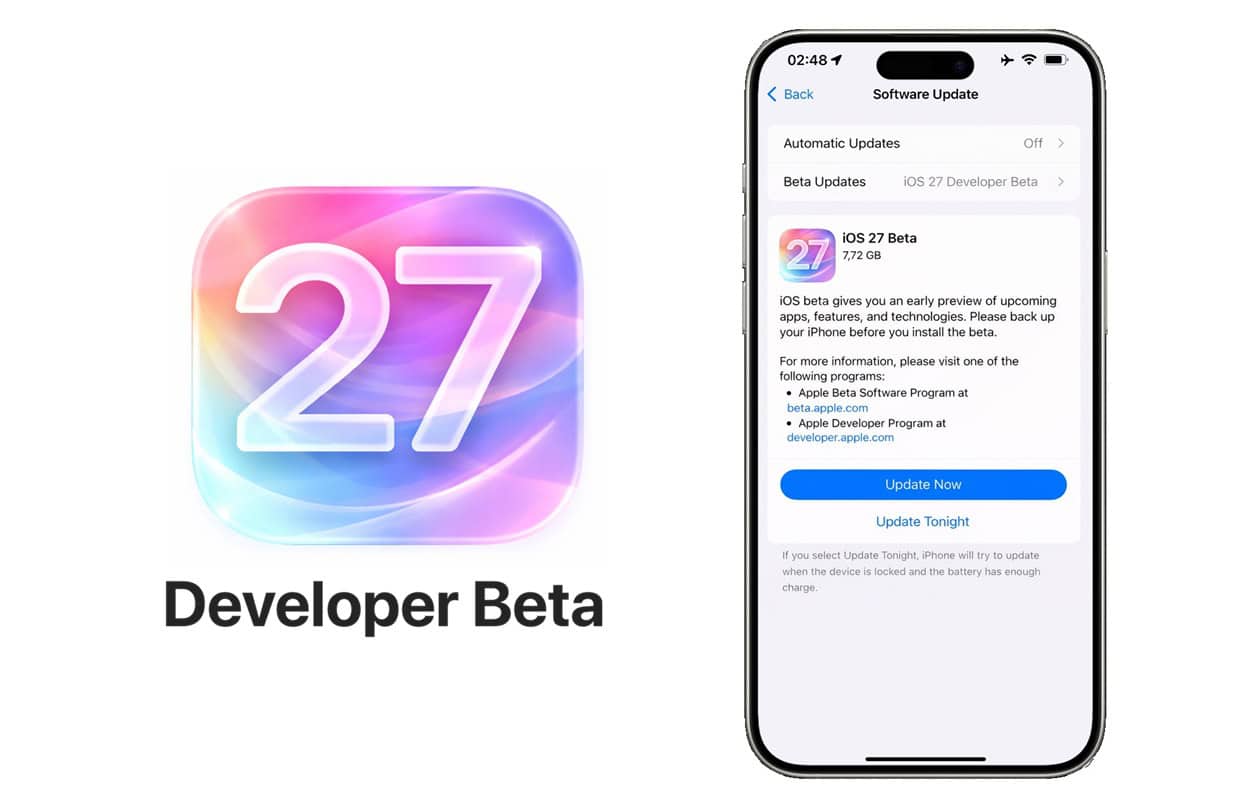
iOS 27 Developer Beta is Apple's first pre-release version of iOS 27, designed for app developers to test compatibility, explore new APIs, and prepare their apps for the public release in September 2026. Released on June 8, 2026 — the same day as the WWDC 2026 keynote — it provides 14 weeks of early access before iOS 27 ships to the public.
This comprehensive guide covers everything developers need: installation methods, Xcode 18 requirements, new SDK frameworks, migration strategies from iOS 26, and downgrade procedures. Updated continuously based on Apple's official documentation and our editorial team's hands-on testing across every iOS beta cycle since iOS 13.
What Is iOS 27 Developer Beta?
Apple releases iOS updates in stages: Developer Beta first (June), Public Beta (mid-July), and the final public release (mid-September). The Developer Beta is the rawest version — it ships with the WWDC keynote and receives updates every 1-2 weeks throughout the summer as Apple fixes bugs and refines features.
Why Developer Beta Exists
Apple created the Developer Beta program to solve a critical problem: when iOS launches in September, 2 billion+ iPhones suddenly run new software. If apps haven't been tested against the new APIs, deprecated frameworks, or behavior changes, they crash on millions of devices simultaneously. The Developer Beta gives the App Store ecosystem 14 weeks to test, fix, and submit updated apps before launch day.
For individual developers, this means: your app's October revenue depends on testing in June. Apps that crash on iOS 27 day-one get one-star reviews, refund requests, and removal from the App Store charts.
iOS 27 Developer Beta Release Schedule
Based on Apple's consistent release schedule over the past 5 years, here's the complete iOS 27 Developer Beta timeline:
| Beta Version | Expected Date | Status | Notes |
|---|---|---|---|
| Developer Beta 1 | June 8, 2026 | Confirmed | Same day as WWDC keynote |
| Developer Beta 2 | June 23, 2026 | Expected | ~2 weeks after Beta 1 |
| Public Beta 1 | July 15, 2026 | Expected | Coincides with Dev Beta 3 |
| Developer Beta 3 | July 14, 2026 | Expected | Mid-July checkpoint |
| Developer Beta 4-6 | July-August 2026 | Expected | Bi-weekly releases |
| Developer Beta 7 | Late August 2026 | Expected | Final beta before RC |
| Release Candidate (RC) | Early September 2026 | Predicted | Final pre-release testing |
| Public Release | September 14, 2026 | Predicted | Monday, based on 5-year pattern |
Developer Beta vs Public Beta: Which Should You Install?
Public Beta
- Releases mid-July 2026 (4-6 weeks later)
- More stable — includes Dev Beta 1-2 fixes
- Same features as Developer Beta
- Good for daily-driver iPhones
- Apple Beta Software Program
- Feedback Assistant for bug reports
Developer Beta
- First access on June 8, 2026
- Xcode 18 beta access
- Apple Developer Documentation
- New SDK frameworks & APIs
- TestFlight (with $99 Apple Developer Program)
- Technical support incidents (with $99)
The 2023 Free Access Change
In June 2023, Apple made a major policy change: Developer Beta became free for everyone with an Apple ID. Previously, you needed a $99/year Apple Developer Program membership. Now:
- Free Apple ID: Access to all Developer Betas (iOS, iPadOS, macOS, watchOS, tvOS, visionOS)
- $99/year Apple Developer Program: Adds App Store publishing, code signing, TestFlight, technical support, and developer forums access
System & Device Requirements
Supported iPhones for iOS 27 Beta
| iPhone Model | Year | iOS 27 Support | Apple Intelligence |
|---|---|---|---|
| iPhone 17 series | 2025 | ✓ | ✓ |
| iPhone 16 series | 2024 | ✓ | ✓ |
| iPhone 15 Pro/Pro Max | 2023 | ✓ | ✓ |
| iPhone 15 / 15 Plus | 2023 | ✓ | ✗ |
| iPhone 14 series | 2022 | ✓ | ✗ |
| iPhone 13 series | 2021 | ✓ | ✗ |
| iPhone 12 series | 2020 | ✓ | ✗ |
| iPhone SE (3rd gen) | 2022 | ✓ | ✗ |
| iPhone 11 / XR / XS | 2019 & older | ✗ | ✗ |
Storage & Battery Requirements
- Free storage: Minimum 10 GB, recommended 15 GB before installation
- Battery: 50% or higher, or keep iPhone plugged in
- Network: Stable Wi-Fi (avoid cellular for ~5 GB download)
- Backup: Recent encrypted backup via iCloud or computer
For App Development
If you plan to build apps with iOS 27 SDK, you need a Mac:
- macOS: macOS 15 Sequoia or later (for Xcode 18)
- Mac hardware: Apple Silicon (M1+) or Intel Mac from 2018+
- RAM: 8 GB minimum, 16 GB recommended (32 GB for large projects)
- Storage: 50+ GB free for Xcode 18 (~30 GB) plus simulators
- Xcode: Xcode 18 (free from developer.apple.com/download)
Apple Developer Program Enrollment
If you only want to install iOS 27 Developer Beta, you can skip enrollment entirely — just use a free Apple ID. But if you plan to publish apps, distribute via TestFlight, or access advanced developer resources, you need to enroll in the paid program.
What $99/Year Gets You
- App Store distribution — Publish apps to 1.8 billion+ users
- TestFlight — Beta test apps with up to 10,000 external testers
- Code signing certificates — Required for App Store submission
- Push notification capability — Production APNs access
- Advanced app capabilities — CarPlay, HealthKit, HomeKit, etc.
- Apple Developer Forums — Direct access to Apple engineers
- 2 Technical Support Incidents (TSI) — Direct support per year
- Beta OS access — Same as free tier (since June 2023)
- Pre-release documentation — Early API references
How to Enroll in Apple Developer Program
Prerequisites Check
Before starting, ensure you have: (1) An Apple ID with two-factor authentication enabled, (2) A valid credit card or accepted payment method, (3) Government-issued ID matching your Apple ID name, (4) For organizations: D-U-N-S number (free from Dun & Bradstreet).
Visit Apple Developer Website
Go to developer.apple.com/programs/enroll and sign in with your Apple ID. You can enroll via the Apple Developer app on iPhone for faster verification.
Choose Enrollment Type
Select the membership category:
- Individual: For independent developers. $99/year. Apps published under your legal name.
- Organization: For companies. $99/year + free D-U-N-S number required. Apps published under company name.
- Enterprise: For internal app distribution only (no App Store). $299/year.
Identity Verification
Apple verifies your identity using government-issued ID. This usually completes within minutes via the Apple Developer app's automated process, or up to 48 hours via web. For Organizations, Apple may require additional documentation.
Complete Payment
Pay the $99 annual fee (or $299 for Enterprise). Apple accepts most major credit cards. Membership activates immediately upon payment confirmation. Renewal happens automatically each year unless cancelled.
Accept Agreements
Log into developer.apple.com/account and accept the Apple Developer Program License Agreement (PLA) and any pending agreements. Without this step, you cannot submit apps.
Installation Methods: 3 Ways to Install iOS 27 Developer Beta
Method 1: Over-the-Air (OTA) — Recommended
The easiest method. No Mac required. Works directly on iPhone or iPad.
Create Encrypted Backup
Connect iPhone to Mac/PC. Open Finder (macOS Catalina+) or iTunes (Windows). Select your device, check "Encrypt local backup", enter a password, click "Back Up Now". Wait for completion before proceeding.
Verify Apple ID Sign-in
On iPhone, go to Settings → [Your Name]. Confirm you're signed in with the Apple ID associated with your Apple Developer account (or any free Apple ID since June 2023).
Enable Beta Updates
Navigate to Settings → General → Software Update → Beta Updates. You'll see options for: Off, iOS 27 Developer Beta, iOS 27 Public Beta (after July). Select "iOS 27 Developer Beta".
Download and Install
Tap Back to return to Software Update. The iOS 27 Developer Beta will appear within seconds. Tap "Download and Install". The download is approximately 3-5 GB. Installation takes 15-30 minutes.
Complete Setup
iPhone restarts and runs setup. Sign in to iCloud, enable services. Verify iOS 27 in Settings → General → About → Software Version.
Method 2: Install via Xcode 18 (For Developers)
This method is for developers who want to install beta firmware on a connected device through Xcode. Useful for debugging or installing on multiple devices.
- Download Xcode 18 from developer.apple.com/download
- Install Xcode 18 on your Mac (requires macOS 15 Sequoia)
- Connect iPhone via USB-C cable
- Trust the computer on iPhone if prompted
- In Xcode, open Window → Devices and Simulators (or press ⇧⌘2)
- Select your iPhone in the left sidebar
- Click the iOS version dropdown and select "iOS 27 Beta"
- Click Install. Xcode handles the firmware download and installation
Method 3: IPSW Restore (Clean Install)
This method erases all data and installs iOS 27 from scratch. Use only if you want a completely fresh start or if OTA fails repeatedly.
- Download the iOS 27 IPSW file from developer.apple.com/download (paid Apple Developer Program required) or via our IPSW download page
- Verify the IPSW matches your exact iPhone model (e.g., iPhone17,1 = iPhone 16 Pro)
- Connect iPhone to Mac with USB-C cable
- Open Finder (Mac) or iTunes (Windows). Select your iPhone.
- Put iPhone in DFU mode: Press Volume Up → Volume Down → Hold Side button until screen goes black, then continue holding Side + Volume Down for 5 seconds, then release Side button only
- Hold
Option(Mac) orShift(Windows) and click "Restore iPhone" - Select the downloaded IPSW file
- Finder/iTunes restores the device. This takes 20-40 minutes.
Xcode 18 Setup & New Developer APIs
Xcode 18 System Requirements
| Requirement | Minimum | Recommended |
|---|---|---|
| macOS Version | macOS 15 Sequoia | macOS 15.5+ |
| Mac Hardware | Intel (2018+) or Apple Silicon | Apple Silicon (M2+) |
| RAM | 8 GB | 16-32 GB |
| Storage | 50 GB free | 100 GB+ free |
| Display | 13" 1440×900 | 16"+ Retina |
Installing Xcode 18
- Visit developer.apple.com/download
- Sign in with your Apple ID
- Locate Xcode 18 beta in the Applications section
- Download the
.xipfile (approximately 12 GB) - Double-click the
.xipfile to extract Xcode 18 - Drag
Xcode-beta.appto/Applications - Launch and accept the license agreement
- Install additional components when prompted
Setting Xcode 18 as Default
If you have multiple Xcode versions installed, set Xcode 18 as the active developer directory:
xcodebuild -version
Building Your First iOS 27 App
To target iOS 27 specifically in your existing Xcode project:
- Open your project in Xcode 18
- Select your target in the project navigator
- Go to Build Settings tab
- Search for "iOS Deployment Target"
- Set to iOS 27.0 (only available in Xcode 18)
- Use
#available(iOS 27.0, *)for new iOS 27-only APIs
// Use new iOS 27 APIs here
let intelligence = AppleIntelligence.shared
} else {
// Fallback for iOS 26 and earlier
}
New SDK Frameworks & APIs in iOS 27
Based on Apple's stated roadmap, Bloomberg reporting from Mark Gurman, and developer beta leaks from previous cycles, here are the frameworks expected to receive major updates in iOS 27:
Foundation Models Framework (New)
Apple is expected to introduce a new Foundation Models framework giving developers direct access to Apple Intelligence's on-device large language model. Use cases include text generation, summarization, classification, and structured data extraction — all running locally without API calls or per-token costs.
- On-device inference — Zero latency, zero cost
- Guided generation — Type-safe structured outputs
- Tool calling — Integrate with App Intents
- Privacy-first — No data leaves device
SwiftUI Enhancements
- New Liquid Glass material modifiers for translucent UI
- Improved scroll position tracking APIs
- Enhanced animation choreography for complex transitions
- New customizable tab views with iPad multi-column support
- Expanded Inspector pattern for desktop-class apps
App Intents (Agentic AI)
App Intents is expected to gain major upgrades to support agentic Siri:
- Multi-step intent chains — Compose complex workflows
- On-screen awareness API — Apps expose visible content
- Contextual parameter resolution — Siri infers from context
- Cross-app intents — Trigger intents in other apps
WidgetKit 4.0
- Interactive widgets 2.0 — More complex interactions
- Live data streams — Real-time updates without timeline refreshes
- Lock Screen widget categories — New layouts
- StandBy mode widgets — Always-on display optimizations
Core ML 9
- Quantization-aware training support
- Larger model support (up to 30B parameters on Apple Silicon)
- Streaming token output for LLMs
- Enhanced Neural Engine utilization
Deprecated APIs
Apple typically deprecates older APIs in each iOS release. Watch for deprecation warnings in Xcode 18 — they indicate APIs that will be removed in iOS 28 or 29. Expected deprecations in iOS 27:
- Older UIKit APIs that have SwiftUI equivalents
- Legacy push notification APIs from iOS 9-10 era
- Outdated Core Data patterns (in favor of SwiftData)
- Certain legacy Bluetooth/CoreBluetooth scanning APIs
Migrating Apps from iOS 26 to iOS 27
Pre-Migration Checklist
- Backup Xcode project — Use Git tags or duplicate the project directory
- Update Xcode — Install Xcode 18 alongside (not replacing) Xcode 17
- Update CocoaPods/SwiftPM — Most third-party libraries require updates
- Test environment — Have a dedicated iPhone running iOS 27 Beta
- Bug tracking — Set up Feedback Assistant for reporting issues to Apple
Step-by-Step Migration Process
Open Project in Xcode 18
Launch Xcode 18, open your existing project. Xcode 18 may prompt to upgrade project settings — review changes carefully before accepting. Keep iOS Deployment Target unchanged initially (e.g., iOS 17 minimum) so you don't lock out users.
Build Against iOS 27 SDK
In Xcode 18, the Base SDK automatically updates to iOS 27. Build your project (⌘B). Note all warnings and errors. Common new warnings include API deprecations, layout system changes, and Apple Intelligence-related opt-ins.
Test in iOS 27 Simulator
Run app in iPhone 17 Pro simulator with iOS 27. Test all critical user flows. Watch for: visual regressions from Liquid Glass changes, layout issues from updated safe areas, permission dialogs with new copy, keyboard behavior changes.
Test on Physical Device
Install iOS 27 Developer Beta on a physical iPhone. Real-device testing catches issues simulators miss: performance, battery drain, haptic feedback, camera/sensor APIs, real-world networking.
Fix Deprecation Warnings
Address each deprecated API. Xcode 18 shows suggested replacements inline. Prioritize: (a) Hard deprecations (removed in iOS 27), (b) APIs that will break with iOS 28, (c) Soft deprecations with long timelines.
Adopt New iOS 27 Features
Selectively integrate iOS 27 features. Use #available checks to maintain backward compatibility. Don't bump your minimum deployment target unless necessary — your iOS 26 users still need your app to work.
Submit to TestFlight
After in-house testing, upload to App Store Connect for TestFlight distribution. Get external testers running iOS 27 to validate. Target at least 50 testers across iPhone 12 through iPhone 17. Two weeks of TestFlight typically surfaces remaining issues.
App Store Submission
Once iOS 27 ships publicly (~September 14, 2026), submit your updated app. Mention iOS 27 compatibility in release notes. Apple may prioritize iOS 27-optimized apps in featured sections during the launch window.
Common Issues & Troubleshooting
Issue 1: "Beta Updates" Option Doesn't Appear
Cause: Not signed in with appropriate Apple ID, or Apple's beta servers experiencing high load on June 8.
Solution:
- Go to
Settings → [Your Name]and verify you're signed in - Sign out and back in with the Apple ID associated with your developer account
- Restart iPhone
- If still missing, wait 1-2 hours — Apple's beta servers are heavily loaded immediately after WWDC
- For paid developers, ensure you've accepted the latest Apple Developer Program agreement at developer.apple.com/account
Issue 2: Installation Stuck on "Preparing Update"
Cause: Network interruption or insufficient storage.
Solution:
- Check available storage: Settings → General → iPhone Storage (need 10+ GB free)
- Force restart iPhone (Volume Up → Volume Down → Hold Side button)
- Connect to a different Wi-Fi network
- Try again. If persists, use IPSW restore method
Issue 3: Excessive Battery Drain
Cause: Spotlight reindexing all data, background app refreshes, beta logging.
Solution: This is normal for the first 48-72 hours after installing any iOS beta. Don't panic. After 3 days, battery life typically returns to ~90% of pre-beta levels. If excessive drain continues:
- Check Settings → Battery for power-hungry apps
- Disable Background App Refresh for non-critical apps
- Restart iPhone once daily for the first week
- Report persistent issues via Feedback Assistant
Issue 4: Specific Apps Crash on Launch
Cause: Third-party apps not yet updated for iOS 27.
Solution:
- Check App Store for app updates daily — developers ship iOS 27 fixes quickly
- Delete and reinstall the problematic app
- Report crashes to the app developer via in-app feedback
- If app is critical and unfixed, wait for Developer Beta 2-3 (more stable)
Issue 5: Xcode 18 Build Errors
Cause: Cached build artifacts, outdated dependencies, signing issues.
Solution:
Shift + ⌘ + K
# Delete derived data
rm -rf ~/Library/Developer/Xcode/DerivedData
# Reset package caches
File → Packages → Reset Package Caches
# Restart Xcode and rebuild
⌘ + B
Issue 6: Feedback Assistant Not Working
Cause: Permissions or sign-in state.
Solution: Open Settings → Privacy & Security → Analytics & Improvements → ensure "Share iPhone Analytics" is ON. Re-launch Feedback Assistant. For web-based reports, use feedbackassistant.apple.com.
How to Downgrade from iOS 27 Beta to iOS 26
Important: Apple Signing Window
Apple only allows downgrades while they're still signing the older iOS version. Apple typically stops signing the previous iOS version 2-6 weeks after a new major release. Once unsigned, downgrade becomes impossible.
- Likely signing window: Until late November 2026 (after iOS 27 launch)
- Check signing status: Visit ipsw.me — green check means still signed
- After unsigning: You can only update to newer iOS versions, never back to iOS 26
Downgrade Process
Download iOS 26 IPSW
Get the exact IPSW file matching your iPhone model. Wrong IPSW = restore failure. See our IPSW download page with model identification tool.
Verify Signing Status
Confirm Apple still signs iOS 26 for your model at ipsw.me. If unsigned, downgrade is not possible.
Disable Find My iPhone
Go to Settings → [Your Name] → Find My → Find My iPhone → toggle off. Enter Apple ID password. This is required for restore.
Enter Recovery Mode
Connect iPhone to Mac/PC. Press Volume Up, press Volume Down, then hold Side button until Recovery Mode screen appears (Mac/PC cable icon, not the Apple logo).
Restore via Finder/iTunes
In Finder (Mac) or iTunes (Windows), select your iPhone. Hold Option (Mac) or Shift (Windows) and click "Restore iPhone". Browse and select the iOS 26 IPSW. Confirm.
Wait for Completion
Restore takes 20-40 minutes. Don't disconnect. iPhone reboots multiple times. When complete, iPhone shows the "Hello" setup screen.
Restore from Backup
During setup, choose "Restore from Mac/PC" and select your pre-iOS-27 backup. Important: backups made on iOS 27 cannot be restored to iOS 26. If you don't have a pre-beta backup, set up as new device.
For complete downgrade instructions with troubleshooting, see our dedicated guide: How to Downgrade iOS 27 Beta to iOS 26.