Chapter 01What Just Leaked — The Short Version
Three weeks before Apple gets to walk on stage and tell its own story, someone walked it through the door for them. Across two Bloomberg pieces published this week — Mark Gurman's Power On newsletter on Sunday and a full feature report on Monday — the iOS 27 AI roadmap has been laid out in unusual detail.
The shape of the leak is bigger than any single feature. Apple has spent the last two years getting beaten on consumer AI by Google, Samsung, and a long list of upstart chatbots, and iOS 27 is supposed to be the year it stops bleeding. What the leaks now show is exactly how Apple plans to do that — not with one headline feature, but with a coordinated push across writing, automation, and personalization, anchored by a Siri that finally functions like a real assistant.
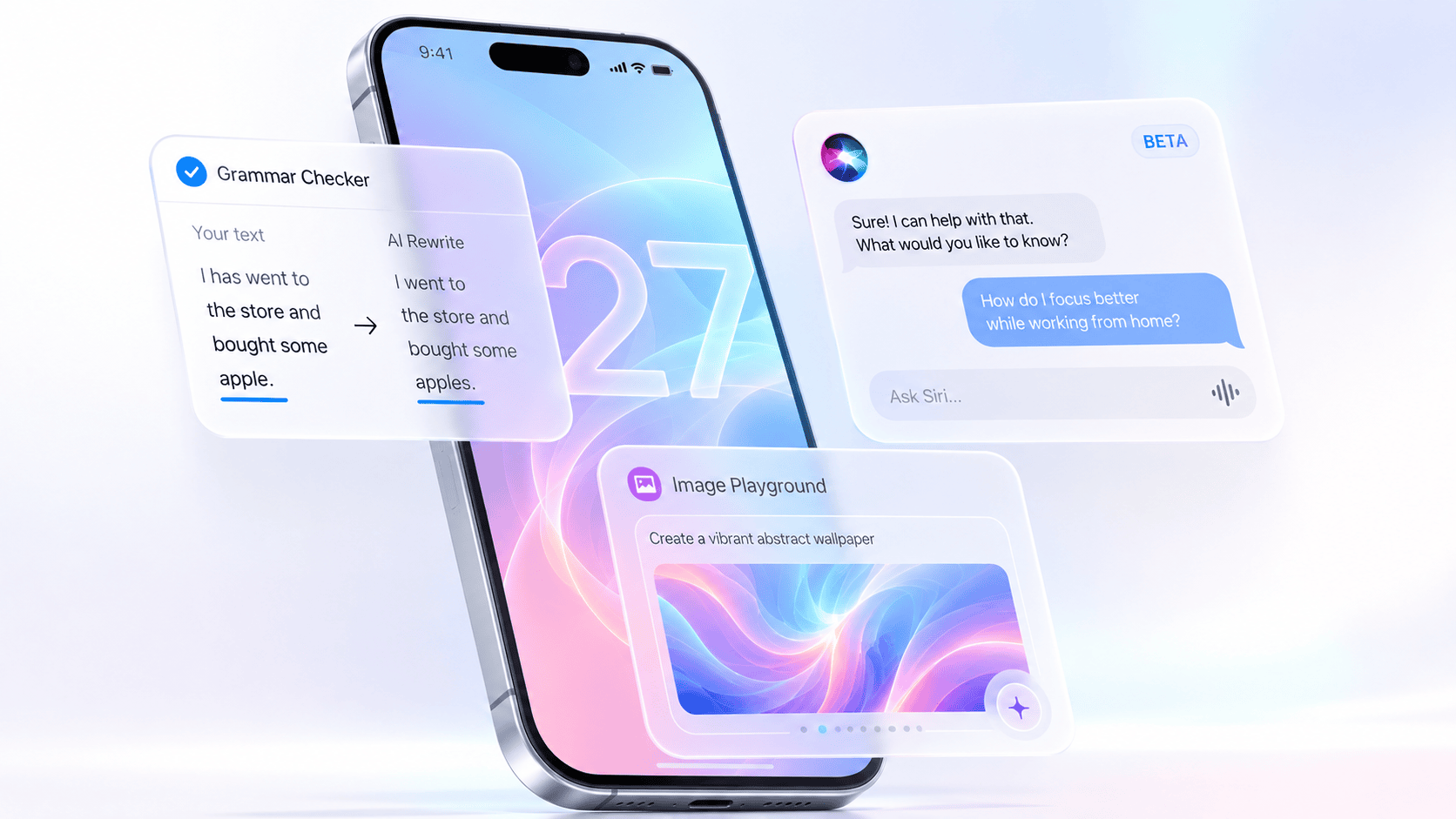
Here's the entire reveal compressed into a single paragraph: iOS 27 will add a system-wide grammar checker that works like Grammarly. The keyboard will get a "Write with Siri" toggle and a new "Help Me Write" prompt. There will be a dedicated standalone Siri app that behaves like ChatGPT, with conversation history, file uploads, and a chat-style interface. Conversations in that app can be set to auto-delete after 30 days or one year, and deleted chats won't feed Siri's personalization. The Shortcuts app is being rebuilt around natural-language prompts, so you describe what you want and the system creates the automation. The wallpaper picker gets a new option that generates custom backgrounds with AI. And Genmoji is being revived with a new "Suggested Genmoji" system that builds emoji from your photos and most-typed phrases.
The rest of this article unpacks each of those pieces, what's known versus rumored, who gets them, and what the leak signals about the broader Apple Intelligence strategy heading into WWDC on June 8.
Chapter 02The Grammar Checker That Wants to Kill Grammarly
If iOS 27 lands with just one of these features fully polished, this is the one most people will actually use every single day. Bloomberg's reporting is specific: Apple is building a system-wide AI grammar checker that behaves a lot like Grammarly — the third-party service that has dominated this category for over a decade.
What makes this different from the existing Writing Tools is the nature of the help. Today's Writing Tools rewrite, summarize, or change tone — they replace your text. The new grammar checker leaves your voice intact and just fixes it. That's a much harder problem to solve well, and it's also what Grammarly's loyal user base actually pays for. By bringing the same workflow inside iOS at the system level, Apple is doing what it did with Notes, Reminders, and Weather: absorb a category that used to belong to third parties.
It also matters that this works anywhere. Reports specifically mention Messages and Mail, but the design suggests it's a system-level layer rather than a per-app feature, which would mean it works in Notes, Slack, third-party email clients, and any text field iOS knows about. If that holds, it's a structural win.
Chapter 03"Write with Siri" and "Help Me Write" Keyboard Toggles
One of Apple's quieter problems with Apple Intelligence has been discoverability. Writing Tools launched in 2024 and most people still don't know where they live. The Bloomberg report describes two new entry points designed to fix that.
The first is a "Write with Siri" toggle that sits directly above the keyboard — right where your eyes go when you're already typing. Tap it and you're inside Siri's writing surface without having to open Siri separately or rummage through a context menu. The second is a "Help Me Write" prompt that appears when you activate Siri while the cursor is inside a text field. So if you tap your side button mid-email and Siri sees the keyboard is up, it'll offer to help you write rather than just listening for a generic command.
These are small UI changes on paper but psychologically important. The hardest part of getting people to use AI writing isn't the technology — it's getting them to remember it exists. Putting the button on the keyboard is exactly the kind of placement that turns an unused feature into a habit.
Chapter 04The Standalone Siri App, Explained
Of every leak this week, this is the one that genuinely changes how iPhones feel to use. iOS 27 will reportedly ship with a dedicated, standalone Siri app — not a tweaked voice overlay, but an actual chat application that lives on your home screen like Messages or Mail.
What Apple is really building here is the long-promised AI assistant that the original 2024 Apple Intelligence demos suggested — just two years late. The current Siri is great at setting timers and not much else. The new one is meant to handle real, multi-turn conversation; pick up where you left off; reference earlier exchanges; and act on uploaded files. In practice, that means you can hand it a PDF, ask follow-up questions about it, and come back tomorrow to keep going.
The infrastructure underneath is the part Apple is being most careful about. Earlier Gurman reporting confirms the new Siri runs on a custom model derived from Google's Gemini, with sensitive workloads routed through Apple's Private Cloud Compute servers. Bloomberg notes that Apple is being deliberately vague about exactly how much of the workload Google's cloud handles — a tension Apple obviously doesn't want to highlight as it markets the new Siri on privacy grounds.
Chapter 05Auto-Deleting Chats: Apple's Privacy Power Move
This is the design choice that separates Apple's chatbot from every other one on the market — and it's not subtle.
Every major AI assistant today is built on the assumption that more memory equals better answers. ChatGPT, Gemini, Claude, and others all push you to keep conversations because that history is what powers personalization. Their incognito modes are off by default, buried, and clearly framed as the exception.
Apple is flipping that. The new Siri app borrows the auto-delete model from Messages: you choose how long conversations stick around. The three options are 30 days, one year, or indefinitely. And here's the part that goes further than anyone else — Bloomberg reports that deleted chats won't be used as Siri's personalization memory, whether you deleted them manually or they auto-purged on the timer.
The practical effect is an AI assistant whose default posture is to forget. That's a genuinely different product philosophy from ChatGPT, where the default posture is to remember, and where users have to actively opt out to get privacy. For a company that's spent fifteen years building its brand around privacy as a feature, this is the most coherent positioning Apple has had on AI since the platform launched.
It's also a smart hedge. By limiting Siri's memory architecturally, Apple gives itself a defense against the inevitable "is my data going to Google?" question that comes with running on Gemini-derived infrastructure. The answer becomes: your data doesn't exist long enough to matter.
Chapter 06Why Siri Will Probably Still Be "Beta" in September
This is the strangest detail in the entire leak and the one that should make Apple watchers pause. According to Bloomberg, internal iOS 27 test builds already label the new Siri as "Beta" and include a toggle to leave the Siri beta. There's a strong chance that label survives all the way through the public release this fall.
That's not how Apple normally ships things. Apple's whole identity is built around launching products when they're done — or at least pretending they are. Labeling a public feature "Beta" in 2026, two full years after this version of Siri was originally supposed to ship, is an admission of something the company would rather not admit out loud. Either the new Siri still isn't reliable enough for a clean launch, or Apple wants the air cover of the "Beta" tag in case something goes wrong.
There's precedent. The original Apple Intelligence rollout in iOS 18 shipped with a Beta label too, and that label stuck around for the better part of a year. So this isn't unprecedented — but it's still revealing. It tells you that Apple expects the new Siri to make mistakes early, and would rather set expectations low than deal with another round of "Apple's AI doesn't work" headlines.
Chapter 07Shortcuts Reborn: Build Automations in Plain English
The Shortcuts app has always been one of the most powerful and least-used things on iPhone. Power users built impressive routines with it; everyone else looked at the visual programming interface, felt their eyes glaze over, and closed the app forever.
iOS 27 might finally fix that. According to Bloomberg, the new Shortcuts app opens with a single prompt:
You type what you want in plain English — "every weekday at 7am, send my partner a good morning message with today's weather and my first calendar event" — and the system builds and installs the entire shortcut automatically. No dragging actions. No nesting conditionals. No reading a Reddit thread to figure out which "Get Variable" block you need.
This is exactly the kind of feature where on-device AI shines. Apple already has the Shortcuts action catalog memorized at the system level — every supported app, every parameter, every conditional. Pairing that knowledge with a language model that translates plain English into action sequences is, frankly, the obvious move. The interesting part is that it took until 2026.
Chapter 08AI Wallpapers Directly in the Wallpaper Picker
This is the most consumer-friendly feature in the leak, and the one Google has been running victory laps about on the Pixel side since 2023. iOS 27 will add an AI wallpaper generation option directly inside the standard wallpaper picker — the same screen you already use to pick a stock wallpaper or set a photo as your background.
Apple is late to this party but the location matters. By baking it into the wallpaper picker instead of a separate app, Apple is doing what it always does well: removing the question of where you go to do something. You're already in Settings looking at wallpapers; now you can generate one without leaving.
The other thing worth watching is what counts as "custom." Pixel's version generates wallpapers from a handful of style prompts. Apple's earliest demos of Image Playground were notoriously generic — cartoony portraits, mostly — but the technology has had two years to improve. Whether iOS 27's wallpaper output looks like something you'd actually keep on your phone, or like another flash-in-the-pan AI gimmick, is the question that won't be answered until we see it on stage.
Chapter 09Suggested Genmoji and the Quiet Second Chance
Genmoji was supposed to be one of the headline Apple Intelligence features when it launched in iOS 18.1. It mostly wasn't. The AI-generated emoji didn't match their previews, the models were power-hungry, and most people forgot it existed within a month.
iOS 27 takes another swing. The new "Suggested Genmoji" system adds a keyboard toggle that automatically creates Genmoji based on your photos and the phrases you type most often. According to Bloomberg, the toggle reads:
So instead of needing to think of a custom emoji from scratch, your keyboard quietly suggests them based on context — the way the predictive text bar suggests words today. It's opt-in, but Bloomberg reports Apple will probably prompt users to enable it after updating to iOS 27, which is Apple-speak for "this will end up on by default for most people."
This is a small feature, but it tells you something bigger. Apple isn't giving up on Genmoji even though the launch flopped. It's redesigning the surface to make the feature appear when you'd actually want it, rather than asking you to remember it. That's the same playbook as putting "Write with Siri" on the keyboard — meet the feature where the user already is.
Chapter 10Which iPhones Will Get These Features
Every one of the features described above is part of Apple Intelligence. That means the same chip requirement that's defined the Apple Intelligence era since 2024 still applies in iOS 27: you need an A17 Pro chip or newer.
| iPhone | iOS 27 | New AI features |
|---|---|---|
| iPhone 16 / 16 Plus / Pro / Pro Max | Yes | Full |
| iPhone 15 Pro / Pro Max | Yes | Full |
| iPhone 15 / 15 Plus | Yes | No (A16 chip) |
| iPhone 14 / 14 Plus / Pro / Pro Max | Yes | No |
| iPhone 13 / 13 mini / Pro / Pro Max | Yes | No |
| iPhone 12 / 12 mini / Pro / Pro Max | Yes | No |
| iPhone 11 / 11 Pro / Pro Max | No | No |
If you own an iPhone 15 Pro or later, you get everything described in this article. If you own a standard iPhone 15, an iPhone 14 Pro, or anything older that still gets iOS 27, you'll get the rest of the operating system — new design touches, performance improvements, the conversational Siri voice interface — but you won't see the grammar checker, the standalone Siri app, AI wallpapers, plain-English Shortcuts, or Suggested Genmoji. Those are all Apple Intelligence features.
For a deeper breakdown of the model-by-model picture, see our guides on iOS 27 on iPhone 15 and whether the iPhone 14 gets iOS 27.
Chapter 11What Apple Still Isn't Telling Us
Leaks are useful but they're not the same as Apple's own roadmap. There are still several questions the Bloomberg reporting doesn't fully answer.
- Languages. The Apple Intelligence rollout has been slow and uneven outside English. There's no confirmation yet on which languages the grammar checker and Help Me Write will support at launch.
- Third-party app integration. Will the grammar checker actually appear in every text field, or only in Apple's own apps and apps that opt in?
- How much runs on-device vs. in the cloud. Apple has confirmed Private Cloud Compute for the new Siri but hasn't said which of these specific features stay local.
- Genmoji output quality. Is the underlying image model the same one that disappointed at launch, or has it been substantially upgraded?
- Image Playground redesign details. The leak says it's getting a visual refresh and better models, but doesn't show what either actually looks like.
- The Siri app icon and home screen behavior. Where does it live? Can it be deleted? Does it replace the existing Siri overlay or coexist with it?
Some of these will get answered on June 8. Others will only emerge once the developer beta ships and people start poking at the actual binaries. We'll keep updating this article through both windows.
Chapter 12What This Leak Really Means for WWDC
Zoom out from the individual features and the leak tells a clearer story about Apple's broader AI strategy in 2026.
For two years, Apple Intelligence has felt like a collection of half-finished ideas. Writing Tools were undercooked. Notification summaries were unreliable enough that Apple eventually pulled them. The promised personalized Siri was delayed twice. Genmoji underwhelmed. In aggregate, it has not been the AI rollout Apple expected when it announced the platform in 2024 with a 90-second product video and a stage full of executives.
iOS 27 looks like the recovery release. The features in this leak aren't moonshots — they're targeted fixes for the most concrete complaints. Writing Tools are hard to find? Put them on the keyboard. Siri can't hold a conversation? Make it a real chatbot. Shortcuts are too hard? Let people describe them. Genmoji is forgotten? Make it suggest itself. Every one of these reads like the result of looking at usage analytics and saying, here's what we need to fix this year.
That's both reassuring and a little sobering. Reassuring because it suggests Apple is now executing against a real strategy rather than improvising. Sobering because the Beta label on the new Siri tells you the recovery isn't complete — it's a work in progress that Apple is now willing to ship publicly while it keeps working.
Bookmark this article. We'll be updating it the moment the keynote ends with confirmed details, missing features, and any surprises Apple manages to keep under wraps for the next three weeks. For everything else iOS 27, see our complete iOS 27 guide and beta release timeline.